How To Unlock Your BlackBerry
Step One
First you need to get the unlock code or Network MEP Code for your BlackBerry. This is a unique code assigned to your handset that is stored by the manufacturer.
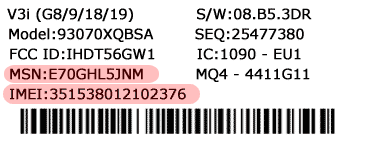
To order your code scroll to the bottom and select your phone and enter your details including your phones' serial number (often called an IMEI number). This can be found by pressing: * # 0 6 # (star, pound, zero, pound) on your phone's keypad. Your serial number will show on your phone's screen.
Or, turn off the phone and remove the battery. The serial number is printed on a white sticker, as shown below. (Note: You may need some reading glasses - the type is very small!)
Once you have placed your order you will receive your unlock code back by email.
Step Two
Once you have received this code, start up your BlackBerry and go to options
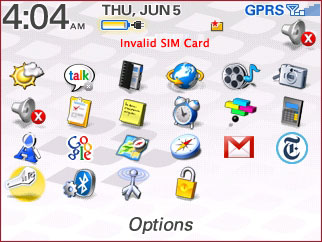 Options Menu: This is usually a little wrench icon.
Step Three
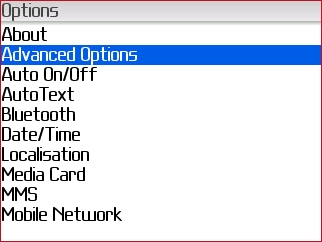
Then go to advanced options
Step Four
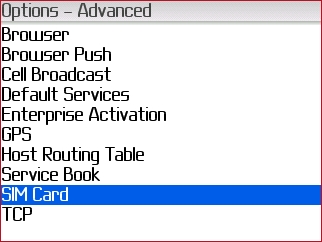
Then go to SIM card
Step Five
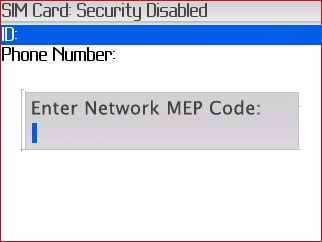
Now Hold the ALT Key while typing in MEPE (not case sensitive) (you will not see text appear on screen while typing) It will now say "Enter Network MEP Code", then you type in the unlock code, press in the trackball to confirm
 Get your BlackBerry unlock code now!